IPTV Compatible Devices: Watch Anywhere
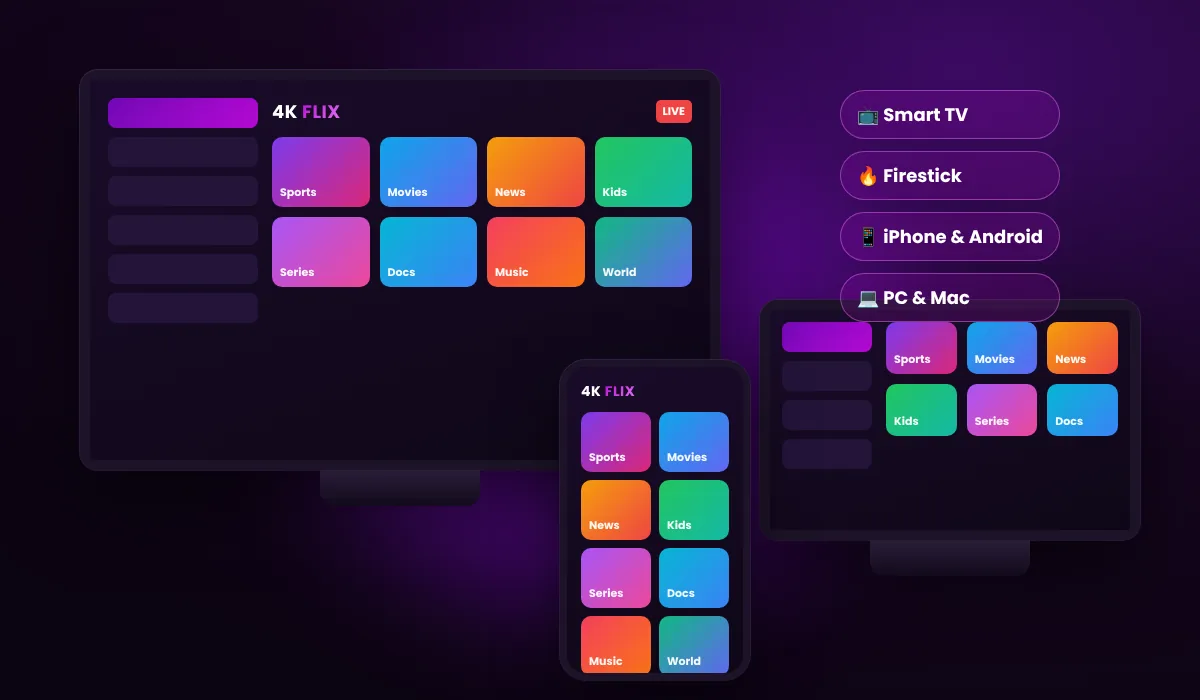
4K Flix IPTV works on almost every screen you own. Pick your device below for the best IPTV app and a step-by-step setup guide.
- Firestick & Smart TVs
- iPhone, Android & PC
- Up to 5 devices at once
Choose your device
Each guide shows which app to install and how to sign in with the details we email you.
Firestick & Fire TV
TiviMate or IPTV Smarters with the Downloader app.
Smart TV
Samsung, LG, Android and Google TV.
Android box
Nvidia Shield, Formuler and other Android boxes.
iPhone & iPad
IPTV apps from the App Store.
Apple TV
Best apps for tvOS and how to sign in.
MAG box
Portal URL setup with your MAC address.
Android phone
Watch on Android phones and tablets.
PC & Mac
VLC and desktop IPTV players.
Recommended IPTV apps
| App | Best for | Login type | Price |
|---|---|---|---|
| TiviMate | Firestick, Android TV | Xtream Codes or M3U | Free, premium optional |
| IPTV Smarters Pro | Firestick, iPhone, Android, Smart TV | Xtream Codes | Free |
| IBO Player | Samsung & LG Smart TV | M3U | Yearly app licence |
| GSE Smart IPTV | iPhone, iPad, Apple TV | Xtream Codes or M3U | Free |
| VLC | PC & Mac | M3U | Free |
| MAG portal | MAG boxes | Portal URL + MAC | Free |
Third-party apps are not made by us. We only provide the IPTV subscription and the login details.
What you need
Internet speed
10 Mbps for HD, 25 Mbps for 4K per screen. Wired or 5 GHz Wi-Fi works best.
An IPTV player
Any app from the table above, installed from your device's app store.
Your login
Username, password and M3U link, emailed after your trial or order.
Enough screens
Each plan supports 1 to 5 devices at the same time.
Choosing the best device for IPTV
IPTV is just an app and an internet connection, so you can watch on devices you already own. The device you choose still makes a difference to picture quality, speed and ease of use.
Amazon Firestick and Fire TV
The Firestick is the most popular IPTV device because it is cheap, small and plugs into any HDMI port. The Fire TV Stick 4K Max has the fastest processor and Wi-Fi 6, which helps with 4K channels. Install the Downloader app, then TiviMate or IPTV Smarters. See the Firestick guide.
Smart TVs: Samsung, LG and Android TV
Modern Smart TVs can run IPTV apps directly. Samsung (Tizen) and LG (webOS) TVs use apps such as IBO Player or IPTV Smarters from their app stores. TVs with Google TV or Android TV can install TiviMate just like a Firestick. Read the Smart TV guide.
Android TV boxes
Boxes such as the Nvidia Shield or Formuler offer the smoothest experience, with Ethernet ports for stable connections and enough power for 4K. They are ideal for sports fans. See the Android box guide.
iPhone, iPad and Apple TV
On Apple devices, install an IPTV player from the App Store and sign in with your Xtream Codes details. Apple TV 4K gives a great big-screen picture. Guides: iPhone & iPad and Apple TV.
MAG boxes, PC and Mac
MAG boxes use a portal URL activated with your box's MAC address. On computers, VLC or a desktop IPTV player opens your M3U link in seconds.
Watching on several devices
Each plan supports 1 to 5 devices at the same time. A typical family uses a Firestick in the living room, a Smart TV in the bedroom and phones on the go. See our multi-device plans.
IPTV devices: frequently asked questions
What is the best device for IPTV?
An Amazon Firestick 4K Max or an Android TV box with TiviMate gives the best mix of price, speed and picture quality. Smart TVs work well too with IPTV Smarters or IBO Player.
Can I watch IPTV on my Smart TV without a box?
Yes. Samsung and LG Smart TVs can run apps such as IBO Player or IPTV Smarters directly. See our Smart TV guide.
Does IPTV work on iPhone and Android?
Yes. Install an IPTV player from the App Store or Google Play and sign in with your details.
How many devices can I use?
Choose 1 to 5 devices when you order. Each device needs its own connection to watch at the same time. See multi-device plans.
Does 4K Flix IPTV work with a VPN?
Yes. A VPN is optional and works with all supported devices.
Your device, your channels
Try everything free for 24 hours. No payment details, no contract.